
Yes, adding more pictures can help SEO, but only if they are optimized properly. High-quality, relevant images improve user engagement, time on page, and accessibility. When paired with proper file names, alt text, and compression, images can also help search engines understand your content and improve rankings.
Key Takeaways
-
 Optimized images improve user engagement and increase time on page.
-
Proper file names, alt text, and compression help search engines understand content.
-
High-quality, relevant images can enhance rankings and organic traffic.
-
Too many unoptimized images can slow page speed and hurt SEO.
-
Balancing visuals and performance ensures the best SEO impact.
Why Images Matter for SEO
Images do more than make content visually appealing—they play a crucial role in SEO. Search engines use images to understand page content, and optimized visuals can help your site appear in Google Images and enhance overall rankings.
Key benefits of using images:
- Improved User Engagement: Pages with images keep visitors interested longer, reducing bounce rates.
- Better Content Understanding: Alt text and descriptive file names help search engines interpret the content.
- Enhanced Accessibility: Properly tagged images make your site more accessible to all users.
- Opportunities for Backlinks: Infographics and high-quality visuals are often shared, earning valuable links.
Using images strategically supports both user experience and search engine visibility, making them an essential part of SEO.
How Adding More Pictures Can Affect Rankings
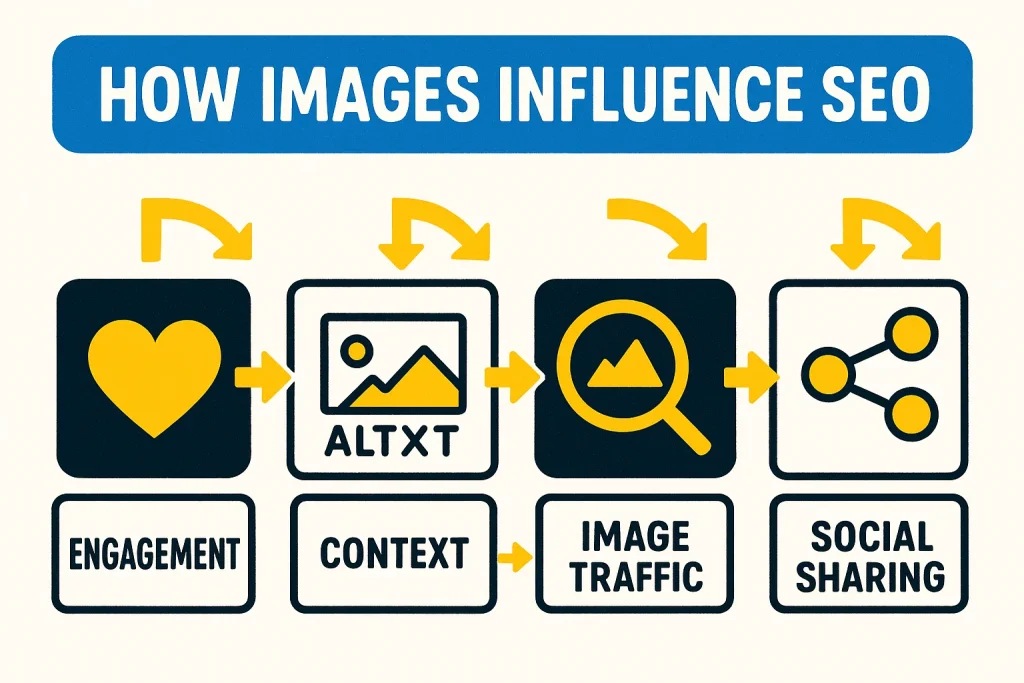
Adding more pictures can positively impact SEO when done correctly:
- Increased User Engagement: Visuals make content easier to digest, encouraging visitors to stay longer, which signals quality to search engines.
- Better Content Context: Images with descriptive alt text help Google understand the topic of your page.
- Opportunities for Image Search Traffic: Optimized images can appear in Google Image results, driving additional organic traffic.
Improved Social Sharing: Pages with appealing images are more likely to be shared, indirectly supporting SEO through increased visibility and backlinks.
Note:
Simply adding images without optimization like large file sizes, missing alt text, or irrelevant visuals, can slow your site and negatively impact SEO.
Best Practices for Image SEO
To ensure images positively impact SEO, follow these guidelines:
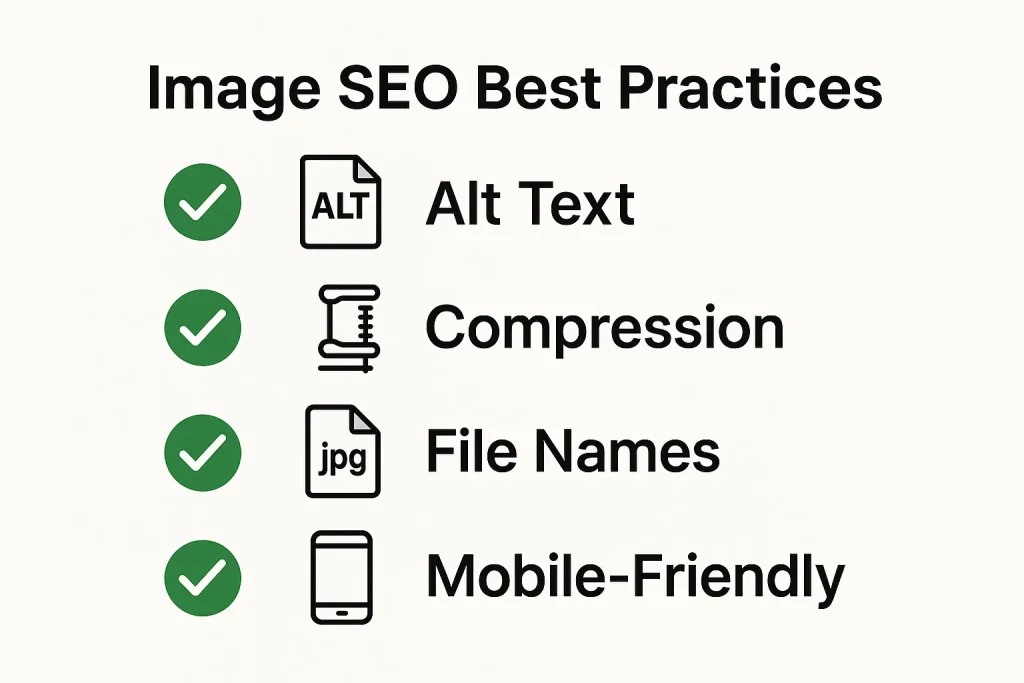
- Use Descriptive File Names: Include relevant keywords to help search engines understand the image content.
- Add Alt Text: Provide clear descriptions for accessibility and SEO.
- Optimize File Size: Compress images without losing quality to maintain fast page load times.
- Use Proper Formats: JPEG for photos, PNG for graphics with transparency, and WebP for modern web performance.
- Include Captions When Relevant: Captions improve readability and provide additional context.
- Maintain Mobile-Friendliness: Ensure images scale properly on all devices.
- Structured Data (Optional): Use schema markup for images like product photos or recipes to enhance rich snippets.
Following these practices ensures that images support both user experience and search engine performance.
6 Common Mistakes When Using Images for SEO
Adding images can help SEO, but mistakes can hurt performance. Avoid these common errors:
- Using Large, Uncompressed Files: Slow page load times, which negatively impact rankings.
- Missing Alt Text: Search engines cannot understand the image content, reducing SEO value.
- Irrelevant or Low-Quality Images: Poor visuals don’t engage users and may decrease credibility.
- Overloading Pages With Too Many Images: Can distract users and increase load time.
- Ignoring File Names: Generic names like “image1.jpg” don’t help SEO.
Skipping Mobile Optimization: Images that don’t scale properly can hurt mobile user experience and rankings.
Tip:
Balance the number of images with performance, relevance, and optimization for maximum SEO benefit.
6 Tools to Optimize Images for SEO
Optimizing images for SEO is easier with the right tools. Here are some recommended options:
- TinyPNG / TinyJPG: Compress images without losing quality, reducing page load times.
- ImageOptim: Desktop tool to optimize image file sizes for faster loading.
- Squoosh: Free browser-based tool for compressing and converting images to modern formats like WebP.
- Canva: Create visually appealing images while ensuring proper dimensions and formats.
- Photoshop / Affinity Photo: Professional tools to optimize images and export for web with SEO-friendly file sizes.
- Yoast SEO (WordPress Plugin): Helps check alt text, file names, and other image SEO elements directly in WordPress.
Using these tools ensures that images enhance your website without slowing it down, helping both user experience and search rankings.
Final Thoughts: Adding More Pictures Can Help SEO If Done Right
Adding more pictures can enhance SEO, but only when done thoughtfully. Optimized, relevant images improve user engagement, reduce bounce rates, and help search engines understand your content. By using proper file names, alt text, compression, and formats, images can contribute to higher rankings and better organic traffic.
The key is balancing visual appeal with performance. Too many unoptimized images can slow your site and hurt SEO. When implemented correctly, images become a powerful tool to support both user experience and search engine visibility.
FAQ: Images and SEO
Can adding more images really improve SEO?
Yes, when images are relevant, high-quality, and optimized, they improve user engagement, time on page, and search engine understanding, which can positively impact SEO.
How do I optimize images for SEO?
Use descriptive file names, alt text, compressed file sizes, proper formats, captions when relevant, and ensure images are mobile-friendly.
Can too many images hurt SEO?
Yes, adding too many unoptimized images can slow page speed, which negatively affects rankings. Balance visuals with performance.
Do images help with Google Image Search traffic?
Absolutely. Optimized images can appear in Google Image results, driving additional organic traffic to your website.
Should I use images on every page?
Not necessarily. Use images that add value and enhance content, rather than adding them purely for the sake of quantity.
What’s the best format for SEO images?
JPEG works best for photos, PNG for graphics with transparency, and WebP is ideal for modern web performance.
Boost Your SEO With Professional Image Optimization
Adding images can improve SEO, but optimizing them properly takes experience and tools. SEO Specialist USA helps businesses enhance website visuals, compress images, add alt text, and implement image SEO best practices that increase rankings and drive more organic traffic.
Whether it’s optimizing product photos, blog images, or service visuals, our team ensures your website looks great and performs well in search results.